



Feature · Run the business
Brikl for AI — launch a branded store from your AI assistantNew
Brikl for AI lets you build catalogs, launch stores and place orders from ChatGPT, Claude, Gemini or Grok, without opening the Brikl dashboard. Every platform action is a tool on Brikl's own MCP server, so one sentence and a client's web address are enough to launch a branded, priced store. You decide which actions the assistant may take.
Every action a tool · ChatGPT, Claude, Gemini, Grok, Mistral · Part of Brikl v3
One sentence, one web address
From a request to a client store
A sales rep asks their assistant for a store the way they would ask a colleague:
“Set up a company store for acme.example with the Everyday quality tier and a $25 welcome coupon for each of their 40 employees.”
The rep types one sentence.
A request and the client's web address. No form, no dashboard.
The assistant reads the website.
It takes the client's logo, brand colors and fonts from the site itself.
Brikl builds the store.
A branded, priced store on Brikl, with the quality tier and coupon you asked for.
The rep reviews and sends.
Check the store, then send the client the link.
Every action is a tool
What works on screen works for an assistant
Brikl is API-first, so every action available on screen is also available to software. Brikl for AI adds an MCP server on top of that API, turning those actions into tools an assistant can call. It works with ChatGPT, Claude, Gemini, Grok, Mistral and other MCP-compatible assistants.
| What an assistant can do | What that means |
|---|---|
| Create a catalog | Put together the products a client should see, priced by the platform. |
| Build a store | Launch a branded store from a request and a web address. |
| Add a coupon | Give every employee a welcome amount, or run a promotion. |
| Place an order | Submit a bulk order without retyping it into a dashboard. |
| Check its status | Ask where an order is and get the answer from the system it runs through. |
From bolt-on to AI-native
The assistant takes the steps itself
Bolt-on AI
Helps with tasks around the order, such as writing product descriptions or creating mockups. People get faster at the same steps.
AI-native
The assistant takes the steps itself: it creates the catalog, builds the store, adds the coupon and places the order, because every action is available to it.
“Bolt-on AI makes people faster at the same steps. AI-native means the assistant can take the steps itself. For that, every action in the platform has to be available to the AI in a form it can use safely.”
Built on automation
An agent is only as useful as the process behind it
The AI layer works because the manual steps underneath it are already gone. When an assistant builds a store or places an order, nothing waits on a person to pick it up.
Artwork, automatically
Uploaded logos are turned into production-ready artwork for all major decoration methods, including embroidery, DTG and DTF. No digitizer in the loop.
Orders route themselves
Each order goes to the right fulfillment partner by product and decoration method, and ships direct to the buyer.
“If artwork still needs a digitizer and orders still need someone to route them, the agent doesn't remove work. It just creates faster email. We spent years removing the manual steps first.”
You stay in control
Check the work instead of doing it
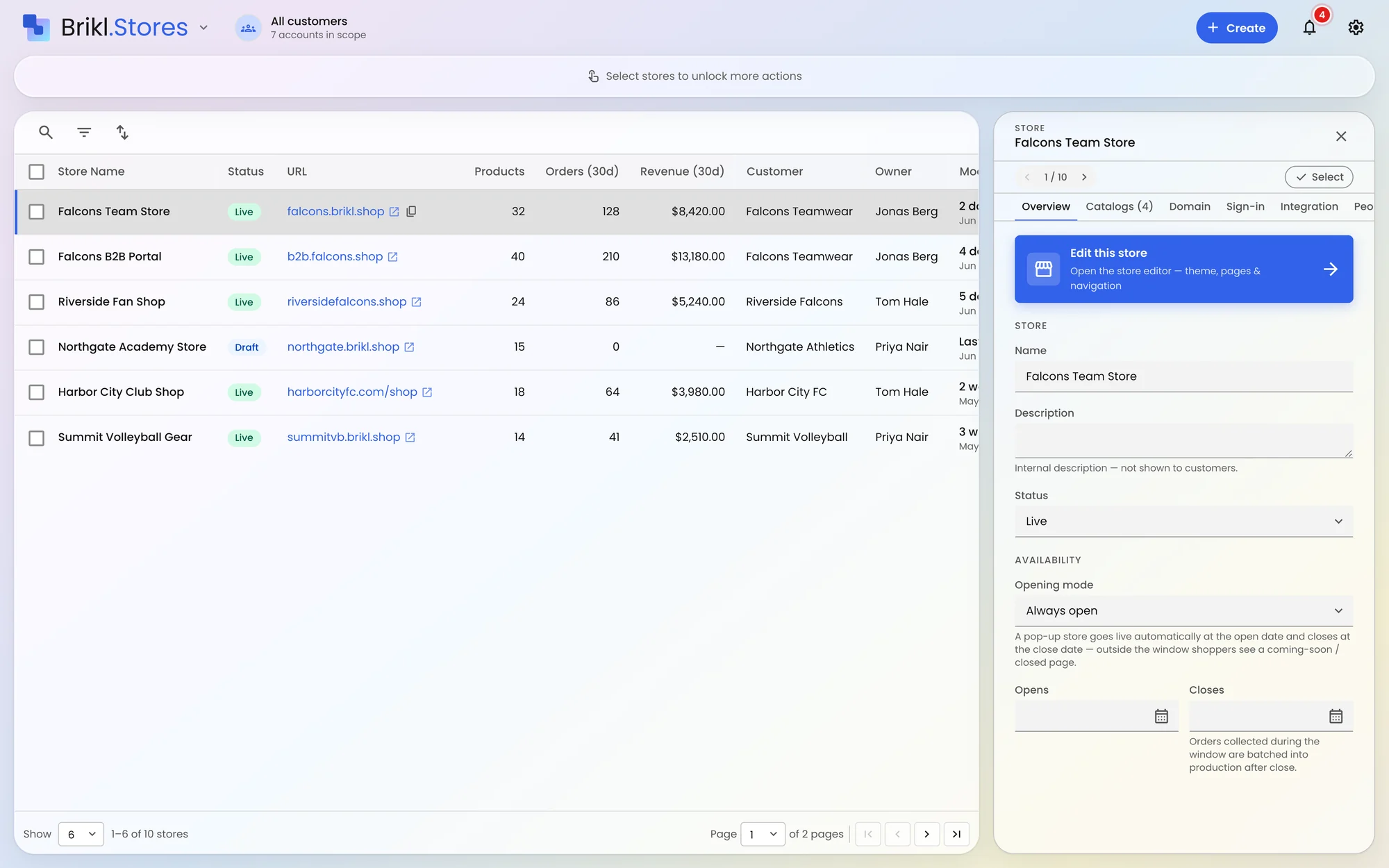
Using AI is optional. Teams that prefer to work on screen keep the full Brikl dashboard, and everything an assistant creates appears there for review. Most teams start by letting an assistant prepare stores for a person to approve, and give it more room as trust grows.
Real authentication
An assistant gets in only with real authentication. An open door does not mean anyone can walk through it.
Actions you allow
You decide which actions an assistant may take. It can call only the tools inside those scopes.
Everything lands in review
Every write an assistant makes lands in the same reviewable queue as every other channel, and everything it creates appears in your dashboard.
Frequently asked questions
What is Brikl for AI?
Can Brikl for AI build a store from a client's website?
Which AI assistants work with Brikl for AI?
Do I still need the Brikl dashboard?
Can an AI agent change things without anyone checking?
When is Brikl for AI available?
Start on the platform it runs on
See Brikl for AI New live at The PPAI Expo 2027, booth 5055.